Description
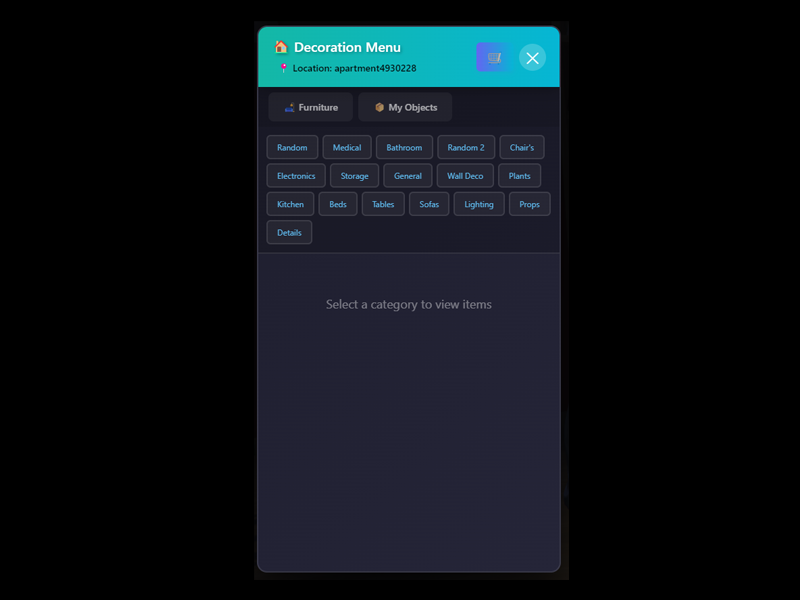
sc-decor and sc-decormanager are advanced decoration management systems for FiveM, designed to let players and admins place, manage, and control in-game objects for apartments, interiors, and more.
Key Features
sc-decor
- Place & Edit Decorations:
Players can place, move, and rotate objects in their apartments or other allowed locations. - Permission System:
Access is controlled by admin status, job, whitelist, or location (e.g., only inside apartments for regular users). - Persistent Storage:
All placed objects are saved in a database, ensuring they persist across server restarts. - Preview & Edit Mode:
Users can preview objects before placing and enter edit mode for fine-tuning. - Integration with Apartments:
Fully supports apartment systems, checking if the player is inside and linking objects to specific apartments.
sc-decormanager
- Admin Tools:
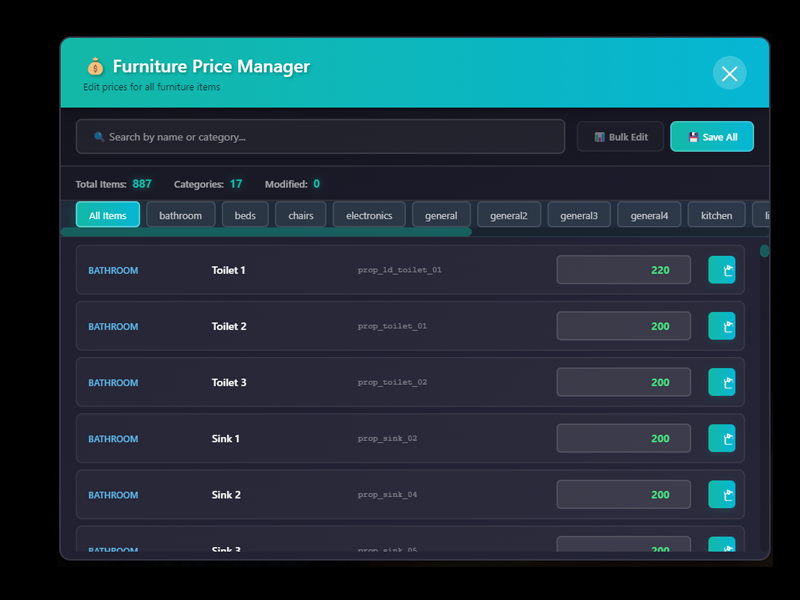
Admins can give decor items to players, edit prices, and manage decor inventory. - Price Management:
Prices for decor items can be edited and exported via a dedicated menu, with changes saved to the server. - Bulk Actions:
Supports bulk giving and management of decor items for efficient admin workflows. - Permission Checks:
Only authorized admins (by identifier or job) can access management features.
How They Work Together
- Item Distribution:
sc-decormanager allows admins to distribute decor items to players, which are then placed and managed using sc-decor. - Database Integration:
Both resources use a shared database table (sc_decor) to track placed objects and ownership. - Seamless Experience:
Players receive items from admins and use the sc-decor menu to place and customize their decorations.