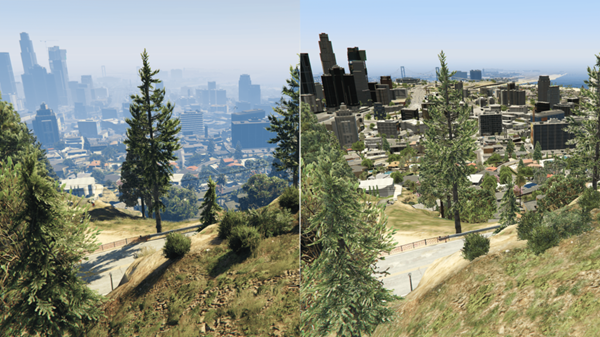

Maximizing Performance in Your FiveM Server Setup
Running a smooth FiveM server isn’t just about having a powerful PC or server hardware—it’s about optimizing every layer, from your resources to server configuration and client experience. Whether you’re hosting a small roleplay community or a large-scale server, performance tweaks can mean the difference between laggy chaos and seamless gameplay.
Here’s your ultimate guide to maxing out your server performance! ⚡
1️⃣ Choose the Right Hosting Environment 🖥️
Your server’s hardware is the foundation. Don’t skimp here!
-
💪 CPU – FiveM loves single-thread performance. One strong CPU core beats many weak ones.
-
💾 RAM – Small servers (~50-100 players) need 8GB+, large servers may need 16GB+.
-
⚡ Storage – SSD only! Streaming maps and mods is much faster.
-
🌐 Network – Fast & stable connection is a must. Aim for 1 Gbps or higher.
Pro Tip: Hosting services like GravelHost, Zap-Hosting, or OVH offer FiveM-optimized plans.
2️⃣ Optimize Your Resources 🗂️
Each resource you add impacts performance.
✅ Do:
-
Keep only necessary scripts.
-
Cache data in memory instead of reading files repeatedly.
-
Use asynchronous methods to prevent blocking loops.
❌ Don’t:
-
Run multiple scripts doing the same thing (e.g., two inventory systems).
-
Overload the server with huge maps or unnecessary props.
3️⃣ Tweak Server Settings ⚙️
server.cfg isn’t just decoration—it affects performance massively.
-
👥 Max Players – Don’t overcommit hardware. Start smaller and scale.
-
🖥️ sv_maxclients – Match this to your CPU & RAM.
-
📊 txAdmin monitoring – Find bottlenecks in real-time.
-
🏞️ Streaming distances – Reduce draw distance for NPCs, vehicles, and maps.
4️⃣ Database Performance 💾
FiveM servers rely on MySQL for player data. Slow queries = lag spikes.
-
🔹 Index your tables – Speeds up lookups for inventories & characters.
-
🔹 Batch writes – Avoid frequent small updates.
-
🔹 Optimize queries – Don’t
SELECT *; only request what you need. -
🔹 Use connection pooling – Minimizes database overhead.
5️⃣ Client-Side Optimization 🕹️
A smooth server is useless if clients lag.
-
🚗 Limit high-poly cars & maps.
-
🖼️ Optimize textures – Huge
.ytdfiles = stutter. -
📢 Educate players – Close overlays like Discord or Chrome for better FPS.
6️⃣ Monitor & Maintain 🔍
Keep your server healthy like a pro.
-
📈 Use txAdmin or console logs to detect heavy scripts.
-
🧠 Track memory usage to prevent crashes.
-
🛠️ Update resources regularly for performance improvements.
-
⏱️ Monitor tick rate to catch issues early.
7️⃣ Optional Advanced Tweaks ⚡
-
🎯 Culling & streaming – Remove entities in crowded areas.
-
💾 Server-side caching – Preload NPCs and assets in high-traffic zones.
-
🛡️ Separate heavy scripts – Offload complex systems to secondary resources.
🔥 Final Thoughts
A high-performance FiveM server needs attention to hardware + software.
💡 Focus on:
-
Smart resource management
-
Optimized database queries
-
Client-side FPS optimization
-
Continuous monitoring
Remember: performance isn’t just speed—it’s stability. Prevent lag spikes, crashes, and errors, and your community will thrive.
Pro Tip: Start simple. Host a smaller version, benchmark performance, then gradually add resources. 🎮