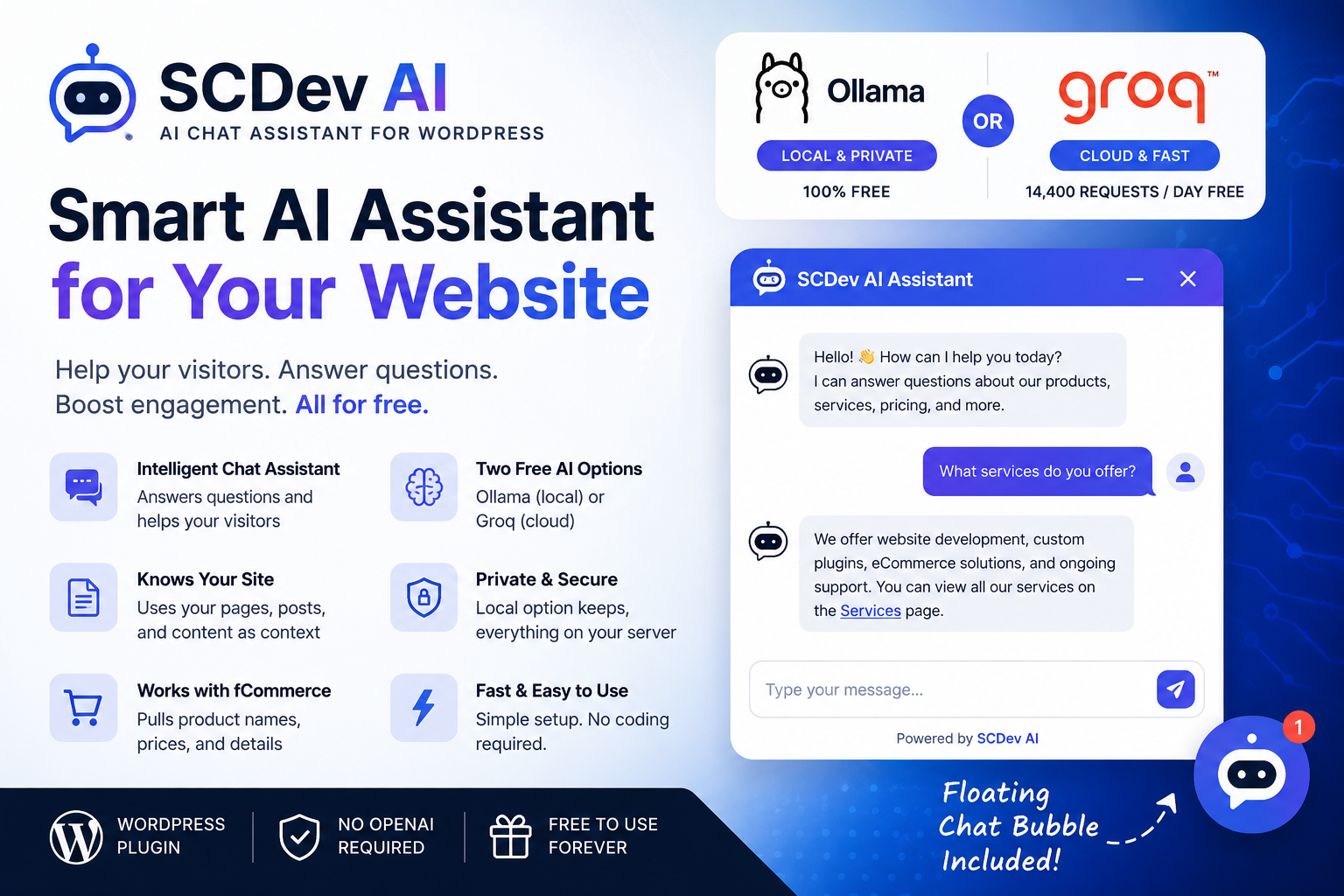
SCDev AI is a fully featured AI chat assistant plugin that provides a smart, conversational interface for your visitors. Whether you want to provide instant customer support, guide users to specific pages, or just give your site a modern edge, SCDev AI handles it elegantly.
It can be powered by either Ollama for privacy-focused local setups, or Groq for lightning-fast live responses, giving you total control over how the AI is processed.
Key Features
1. The Floating Bubble & Shortcode Integration
SCDev AI is designed to be accessible but unobtrusive. You can enable a sleek Floating Bubble that follows visitors across your site, offering help whenever they need it. Prefer a dedicated AI page? Just drop the [scdev_ai] shortcode anywhere, and it creates an inline chat window!
Pro tip: Upon activation, the plugin automatically creates a dedicated "AI Hub" page for you!
2. Smart Site Commands
SCDev AI isn't just a generic chatbot; it actually knows about your site! Your users can use special commands to interact directly with your content:
- Type
pages:to instantly get a list of accessible pages. - Type
posts:to get a curated list of your latest blog posts.
3. Quick Questions
Don't want your users to type? You can configure Quick Questions from the settings. Simply typing ? in the chat will bring up a menu of predefined questions, making it easier than ever for visitors to find what they're looking for.
4. Subscription & Privacy Aware
Security and access control are paramount. If you are using the SCDev Subscriptions plugin, the AI is smart enough to respect your paywalls! When users ask for pages or posts, the AI will only return content that their current subscription level allows them to access. It also automatically hides sensitive auth pages (like login and password reset) from users who are already logged in.
5. Lifetime Updates
We believe in delivering lasting value. That's why when you get SCDev AI, you are completely covered with Lifetime Updates. You will continue to receive all future feature enhancements, performance improvements, and new AI model integrations absolutely free—with zero recurring subscription fees for the plugin itself.
Getting Started
Getting started with SCDev AI is incredibly simple. Once the plugin is active:
- Head over to the new SCDev AI settings menu in your dashboard.
- Choose your preferred AI engine (Ollama or Groq) and configure your API keys.
- Set up your Quick Questions and toggle the Floating Bubble.
Give your users the interactive experience they deserve. Try out SCDev AI today, and let us know how your visitors are interacting with your new assistant!
Purchase this product to leave a review.
No reviews yet.